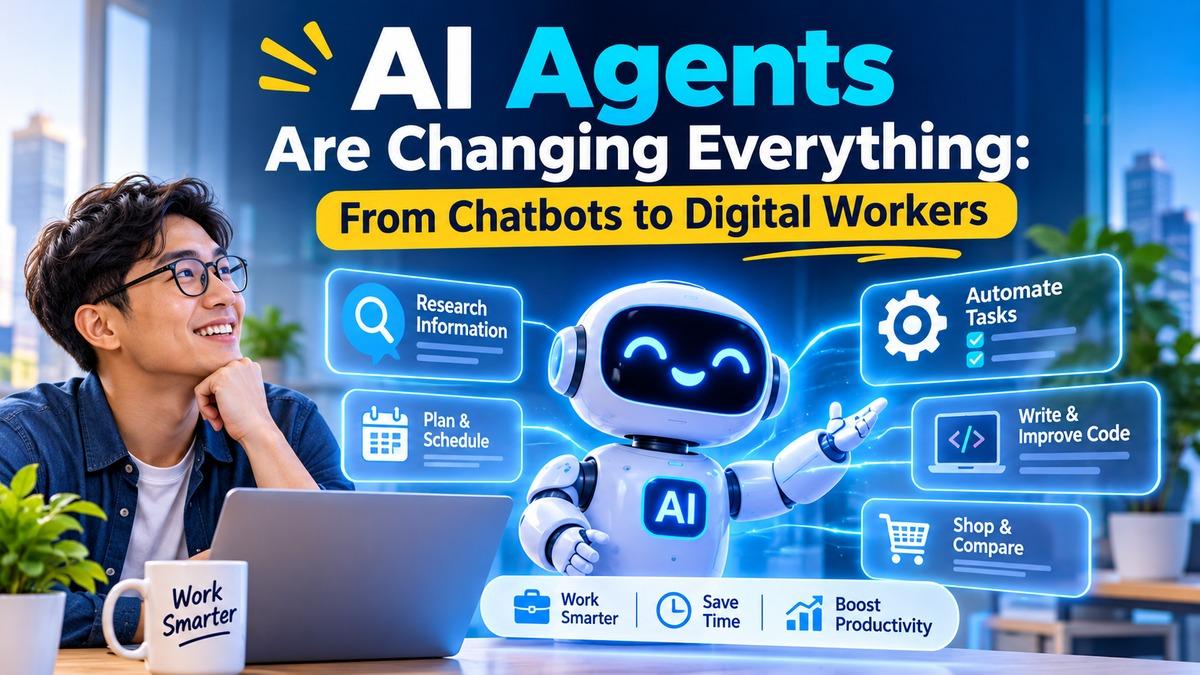
Discover how AI agents can research, automate tasks, use tools, and complete real-world workflows.
For the past few years, most of us have used AI like a very smart search bar: you type a question, wait a few seconds, read the answer, and then do all the real work yourself.
In 2026, that pattern is shifting quickly. Instead of only answering questions inside a chat window, modern AI systems can now look up information, open tools, read documents, update files, and carry out multi-step tasks on your behalf.
In simple terms: AI chatbots help us find answers. AI agents help us get things done.
1. What Are AI Agents?
An AI agent is a software system powered by an AI model that can understand a goal, plan steps, use external tools, and take actions to complete a task with minimal step-by-step prompting.
As described in What Are AI Agents? – Google Cloud, an agent does not stop after generating one piece of text. Instead, it works through an ongoing loop—gathering context, deciding what to do next, calling tools or APIs, checking the result, and adjusting until the task is finished.
Think about the difference between asking for an answer and asking for an outcome:
- Asking a chatbot for an answer: "What are five good cafés near Shinjuku with Wi-Fi?" You receive a list of suggestions, and then you open maps, check opening hours, and build your itinerary yourself.
- Asking an AI agent to complete a task: "Research five laptop-friendly cafés near Shinjuku, check their current opening hours and walking times from my hotel, and save a structured comparison table into my trip notes."
It is also worth noting that not every chatbot or AI assistant is an autonomous agent. A standard chat interface that only predicts text from your prompt—without access to tools, memory, or an execution loop—is still just a conversational assistant, not an agent.
2. From Chatbots to Digital Workers
To understand where AI agents fit, it helps to compare the three stages of everyday AI tools side by side.
| Stage | How It Works | Typical Output | Example |
|---|---|---|---|
| Traditional Chatbot | Follows fixed scripts or decision trees | Prewritten replies and menu options | Customer support widget asking you to pick 1, 2, or 3 |
| AI Assistant | Responds to natural language prompts one turn at a time | Text answers, summaries, or drafts | "Draft a polite follow-up email to this client" |
| AI Agent | Interprets a goal, plans steps, calls tools, and iterates | Completed multi-step outcomes | "Review today's inbox, summarise urgent enquiries, and draft replies for my approval" |
As highlighted in OpenAI's Practical Guide to Building AI Agents, this shift turns AI from a passive Q&A partner into something closer to a digital worker—one that can handle multi-step workflows inside clear boundaries.
For example, preparing a weekly competitor update used to mean opening ten browser tabs, skimming release notes, copying pricing changes into a spreadsheet, and writing a summary. With an agentic research tool, you give the AI the goal once, let it browse and cross-check sources, and spend your time reviewing the finished brief instead of doing the manual copy-pasting.
3. How Do AI Agents Work?
Even though different platforms look different on the surface, most practical AI agents rely on six core building blocks:
- AI models and reasoning: The underlying language model reads your request, weighs context, and decides what action makes sense next.
- Instructions and goals: Clear system rules telling the agent what role it plays, what constraints to obey, and what "done" looks like.
- Tools, APIs, and integrations: The "hands" of the agent—web search, file readers, calendars, email, databases, or code editors.
- Memory and context: Short-term working state (what happened in steps 1–3) plus longer-term notes or knowledge bases so the agent does not lose track midway.
- Planning and execution: Breaking a big request into smaller steps, running a tool, inspecting the output, and recovering if something fails.
- Human approval and guardrails: Safety checks that validate inputs/outputs and pause before sensitive actions like sending emails, deleting data, or charging a card.
Here is how those pieces work together during a typical run:
User Goal ─▶ Reasoning & Plan ─▶ Call Tool / API ─▶ Observe Result
                   ▲                                      │
                   └────── Adjust / Next Step ────────────┘
                                  │
                     (If sensitive action: Human Approval)
                                  │
                                  ▼
                           Completed Output
If you want to explore the engineering principles behind this loop, OpenAI's Building Agents guide and Anthropic's Building Effective Agents both stress an important rule: start simple. A single agent with clean, well-defined tools often works far more reliably than a complex web of multiple autonomous agents.
4. Real-World Examples of AI Agents
AI agents are already useful in practical, everyday scenarios—provided you keep a human in the loop whenever real money, external communication, or production systems are involved.
Everyday Life
- Travel research and itineraries: An agent can gather flight options, neighbourhood notes, train connections, and restaurant ideas into a clean day-by-day plan. Human approval: You review and book the actual tickets and hotels yourself.
- Product comparisons: Instead of reading twenty reviews manually, you can ask an agent to compare three laptops or cameras against your budget and list pros, cons, and missing features.
- Organising personal tasks: Turning scattered voice notes, receipts, or PDFs into clean checklists and summaries.
Business and Productivity
- Competitor research and reports: Gathering public pricing pages, feature announcements, and market notes into a structured weekly brief.
- Document processing: Extracting invoice numbers, dates, and line items from uploaded PDFs into a spreadsheet or database.
- Customer enquiry triage: Reading incoming support tickets, tagging urgency, pulling relevant help-centre articles, and preparing draft replies. Human approval: A staff member approves sensitive refunds or unusual replies before anything goes to a customer.
- Repetitive back-office workflows: Updating CRM notes after a call or syncing form submissions into project boards.
Software Development
- Exploring unfamiliar codebases: Tracing how authentication, payments, or API routes connect across dozens of files before making changes.
- Multi-file feature implementation: Updating backend endpoints, validation rules, and frontend components together from a clear specification.
- Running tests and investigating errors: Running the test suite, reading failing stack traces, and proposing targeted fixes.
- Code review assistance: Checking pull requests for missed edge cases, broken types, or inconsistent error handling. Human approval: A developer reviews the diff, checks security implications, and decides what actually merges and deploys.
5. Popular AI Agent Tools in 2026
You do not need to write code to start using AI agents today, though developers also have dedicated frameworks for building custom workflows. Here is how the major platforms fit together in 2026.
Ready-to-Use AI Assistants
- ChatGPT: Includes Agent mode (evolving into ChatGPT Work for multi-step browser and workspace execution) alongside Deep Research for multi-source investigative reports. Free and Go tiers focus on standard chat, while full agent and expanded Deep Research workflows sit on paid plans such as Plus ($20/month) and Pro tiers.
- Claude: Anthropic pairs everyday chat with Claude Cowork (a desktop agent designed to work across designated folders, documents, and spreadsheets) and Claude Code (a terminal and IDE coding agent). Both are bundled into paid plans starting at Pro ($20/month) as well as Max, Ultra, Team, and API billing, sharing usage limits across surfaces.
- Google Gemini: Offers Deep Research (where you can review and refine the agent's research plan before it browses and cites sources) and tight integration across Google Workspace apps like Gmail, Drive, Docs, and Calendar.
- Microsoft Copilot: Combines everyday Microsoft 365 assistance with Copilot Studio, allowing teams to build agents using generative orchestration and Actions wired into Microsoft Graph, Power Automate, and external business APIs.
Workflow Automation
- n8n (n8n Documentation): A visual workflow automation platform that lets you combine deterministic triggers, webhooks, and app nodes with AI Agent nodes. You can self-host the Community Edition for free or use execution-based n8n Cloud plans (starting around €20/month billed annually, with LLM API tokens billed separately by your model provider).
Developer Platforms and Frameworks
- OpenAI Agents SDK: OpenAI's official developer framework for building agents with instructions, tool schemas, handoffs, tracing, and built-in guardrails.
- Microsoft Agent Framework: Microsoft's unified SDK for Python, .NET, and Go (preview), bringing together ideas from Semantic Kernel and AutoGen for single agents, workflow graphs, and longer-running agent harnesses.
- LangChain and LangGraph: Widely used open-source libraries in Python and TypeScript—LangChain provides standard model and tool abstractions, while LangGraph handles stateful, cyclic multi-agent workflows with persistence and human-in-the-loop checkpoints.
| Category | Examples | Best Suited For |
|---|---|---|
| Ready-to-use assistants | ChatGPT, Claude, Google Gemini, Microsoft Copilot | Individuals and teams automating research, docs, and daily tasks without writing code |
| Workflow automation | n8n | Connecting apps, triggers, and AI steps in a visual workflow builder |
| Developer frameworks | OpenAI Agents SDK, Microsoft Agent Framework, LangChain & LangGraph | Engineers building custom, governed agents inside products and internal systems |
6. AI Agents vs. Traditional Automation
Traditional automation (like cron jobs, Zapier-style rules, or classic API scripts) follows strict predefined paths: if trigger X happens, always run step A, then step B. It is fast, predictable, and cheap—as long as inputs stay clean and structured.
AI agents shine when the input is messy or unpredictable: reading an unformatted customer email, deciding which database lookup is relevant, or researching three ambiguous questions on the web.
In practice, the smartest systems combine both:
- Use traditional deterministic code for validation, billing, database writes, and permission checks where you want 100% predictable rules.
- Use an AI agent in the middle where flexible reading, summarising, routing, or drafting is needed.
For instance, an n8n workflow can trigger deterministically every time a support form arrives, ask an AI agent to classify the request and draft a response from your docs, and then route the draft to a Slack approval button before a standard API sends the final email.
7. Benefits and Challenges
Like any major shift in software, AI agents come with clear upside and real operational risks.
Benefits
- Less repetitive work: Offloads manual data gathering, formatting, and routine triage.
- Faster research: Compiles multi-source briefs in minutes instead of hours of browser tab switching.
- Better app connectivity: Bridges documents, calendars, ticketing systems, and APIs under one goal.
- Multi-step execution: Handles sequences of tasks rather than stopping after one isolated answer.
- Higher productivity: Frees people to spend more time on strategy, judgment, and customer relationships.
Challenges to Manage Carefully
- Incorrect decisions and unreliable outputs: Agents can misread instructions, pull outdated sources, or confidently chain an early mistake into later steps.
- Data privacy and security: Connecting an agent to emails, Drive folders, or internal databases creates risk if sensitive data leaks or gets exposed to prompt injection.
- Excessive permissions and unintended actions: An agent given broad delete, payment, or production-write access can cause real damage from a single misunderstood instruction.
- Cost and performance: Because agents reason in loops and re-read large contexts, multi-step tasks consume far more tokens and take longer than a quick chat prompt.
- Supervision and accountability: When an agent sends the wrong message or alters records, a human or organisation is still responsible.
That is why OpenAI's Guardrails and Human Review documentation recommends combining automated input/output/tool checks with human-in-the-loop approvals before any high-risk or irreversible action runs.
8. Will AI Agents Replace Human Workers?
AI agents are already automating specific tasks—especially repetitive information gathering, basic first-draft writing, routine ticket sorting, and standard code scaffolding.
However, automating tasks is very different from replacing whole roles. Most meaningful work still depends on qualities AI agents cannot reliably own on their own:
- Judgment in ambiguous situations: Deciding which trade-off fits a customer, budget, or company culture.
- Original creativity and taste: Knowing what is worth building or saying in the first place.
- Human communication and trust: Listening to clients, resolving tense situations, and aligning a team.
- Accountability: Taking real responsibility when decisions affect customers, finances, or safety.
Over the next few years, many roles will look less like doing every manual step yourself and more like setting clear goals, reviewing agent outputs, and handling the exceptions that require human expertise.
9. How to Get Started With AI Agents
You do not need to overhaul your entire life or company to benefit from AI agents. Start small with a low-risk workflow:
- Identify one repetitive task: Pick something annoying but safe—like summarising weekly articles, organising meeting notes, or comparing software options.
- Choose a suitable tool: Start with an assistant you already use (like ChatGPT, Claude, Gemini, or Copilot) or a visual builder like n8n if you want app triggers.
- Give a clear goal and context: Spell out what input to use, what format you want back, and what to avoid.
- Limit tools and permissions: Give read-only access first. Avoid giving autonomous send, purchase, or delete permissions right away.
- Review every action and output: Treat the first runs like onboarding a new junior teammate—check sources, numbers, and tone.
- Improve the workflow gradually: Save prompts or templates that work well, remove steps that slow things down, and expand only after results are consistent.
10. Conclusion: The Future Is About Getting Things Done
The move from basic chatbots to AI agents is changing what software can do for everyday people, teams, and developers. When an AI can research, connect tools, and complete multi-step work under your guidance, hours of routine effort turn into minutes of review.
At the same time, reliability, privacy, and good judgment still depend on you. Start with small, well-scoped tasks, keep humans in charge of important approvals, and treat AI agents as capable helpers rather than magic autopilot.
AI chatbots help us find answers. AI agents help us get things done.
Thanks for reading! If you are exploring AI agents for your product, business workflow, or engineering team and want to exchange ideas, feel free to get in touch through my contact page.
Read More
If you enjoyed this article, check out these related posts on my blog:
- Vibe Coding in 2026: How AI Is Changing the Way We Build Software — Looks closely at how AI coding agents are changing everyday software development and why engineering judgment still matters.
- What is DevOps? — Covers automation, CI/CD pipelines, and monitoring—the deterministic practices that keep automated systems reliable in production.
- From Raw Footage to Reels: My Complete Video Creation Workflow — Shows how AI tools fit into a practical, repeatable creative workflow alongside human editing decisions.
- How to make money $1000 every day using ChatGPT? — An earlier look at practical ways individuals and freelancers began applying conversational AI to daily work.